
Splitt vs Splitwise
Splitwise is the app your friends already have. It's also the app that asks you to pay when you add a fifth expense in a day, search your own history, or turn euros into dollars.
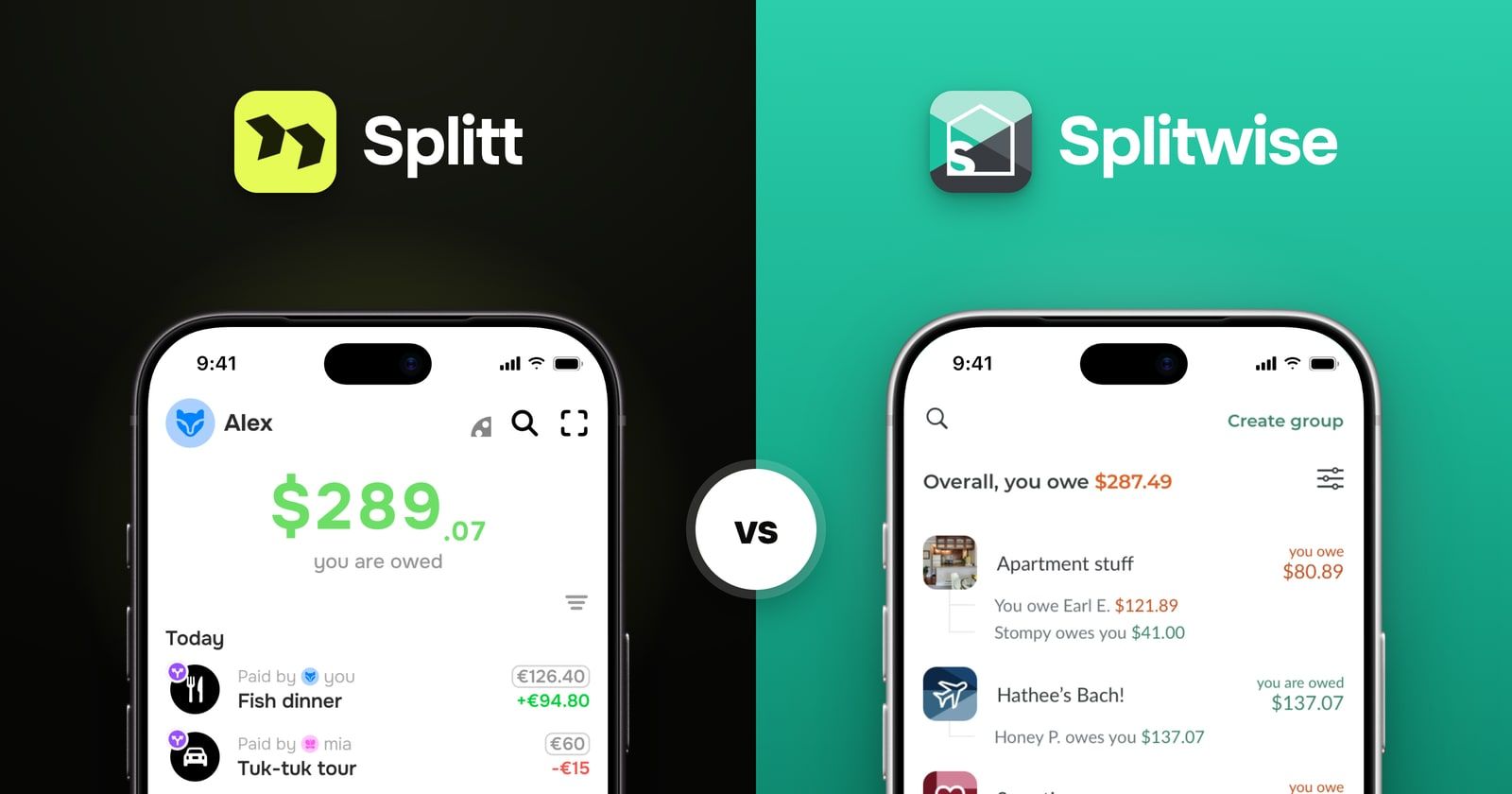
Which should you choose?
Choose Splitt if you want the basics for free: unlimited expenses, search, currency conversion and receipt scanning, with no ads. On Splitwise each of these needs Pro. Choose Splitwise if someone in your group is on Android, you need a web app or bank import, or your friends won't switch.
What Splitwise charges for
Splitwise lists what Pro adds on its own help page. Here is that list next to Splitt.
| Splitt | Splitwise | |
|---|---|---|
| More than 4 expenses a day | Free | Pro only |
| Search your expenses | Free | Pro only |
| Currency conversion | Automatic, free | Pro only, by hand |
| No ads | Free | Pro only |
| Receipt scanning, item by item | Free | Pro only |
| Saved default split for a group | Not yet | Pro only |
| Spending charts | Not yet | Pro only |
| Bank import | No | Pro only, some countries |
Paying for bank import or receipt scanning makes sense. They cost money to run. The first three rows are different. Adding an expense, finding it later and seeing it in your currency is the whole app. On Splitwise all three are paid.
Everything else
| Splitt | Splitwise | |
|---|---|---|
| Android | Not yet | Yes |
| Web app | No | Yes |
| Full history | Unlimited | Unlimited |
| Debts stay pairwise | Always | Optional setting |
Four expenses a day
The free plan stops at four new expenses a day. On a trip, that's breakfast, tram passes, museum tickets and lunch. Dinner waits until tomorrow.
Splitwise's help centre offers two ways around it: wait until the limit resets, or ask a friend to add the expense for you. So on free Splitwise, dinner becomes someone else's job.
Splitt has no daily limit, no limit on groups and no limit on history. Early versions had limits; we took them out. A shared list only works when everyone in the group can add to it at any time.
Search is Pro too
Free Splitwise has no search. To find the ferry tickets from June, you scroll back past every coffee since. Search is part of Pro.
In Splitt, search looks through every expense and payment in all your groups. It's free.
Currency conversion is Pro, and it runs by hand
Splitwise keeps a separate balance for each currency. After a trip through three countries you see something like "you owe $12.45 and you are owed £8.72". Adding that up is your job.
Changing an expense's currency doesn't help either. Splitwise's help page says this only changes the currency label and doesn't convert the amount. A €50 dinner becomes a $50 dinner.
Real conversion is a Pro feature, and it runs once. If you add an expense in another currency after that, Splitwise doesn't convert it. You tap Convert again.
Splitwise, by default
-
 You owe
$12.45
You owe
$12.45
-
 You’re owed
£8.72
You’re owed
£8.72
A separate balance for each currency. Is that a lot or nothing? You work it out.
Splitt
-
 You owe
€0.59
You owe
€0.59
One balance in your currency. Here, the two debts almost cancel out.
Splitt converts each expense when you add it, at today's rate, across 44 currencies. You enter what you paid, in any currency, and your balance is one number. It's free, and nothing needs converting later.
The rest of the Pro list
Pro also takes the ads out. Splitt has no ads to take out.
Pro adds spending charts and a saved default split for a group, like 60/40 for a couple. Splitt has neither yet, so here Splitwise simply has more.
Splitt is free today. When paid features come, they'll be extras for whoever runs the group: more receipt scans, recurring expenses, export and stats. Adding expenses, searching them and converting currencies will stay free.
Simplify Debts vs pairwise balances
Splitwise's Simplify Debts changes who pays whom so the group makes fewer payments. Sometimes that means paying someone you never shared a bill with, because it saves one transfer. To its credit, Splitwise explains this clearly and lets anyone in the group turn it off.
Pairwise
You pay Anna. Anna pays Ben. Two payments, each for something you shared.
Simplified
You pay Ben. One payment, to someone you never shared a bill with.
Splitt doesn't do this. What you owe each person is tracked on its own, and settling up makes one payment per pair. Sometimes that's one transfer more. You never pay someone you don't owe.
When Splitwise is the better pick
If anyone in the group is on Android or needs a browser, Splitt has neither yet and won't work for you. If your friends already use Splitwise and won't move, that counts too. And if you keep an open balance with one friend over years, Splitwise's friend-by-friend balances and bank import, where it's available, fit that well.
Frequently asked questions
Is Splitt a free alternative to Splitwise?
Yes. Splitt has no daily limit and no ads, and search, currency conversion and receipt scanning are free. On Splitwise each of these needs Pro. The catch is platforms: Splitt has no Android app yet, so if anyone in your group is on Android, Splitwise or Tricount will work better.
What does Splitwise charge for?
Splitwise Pro includes unlimited expenses, search, currency conversion, receipt scanning and itemization, charts, default splits, no ads, and bank import in some countries. The free plan has ads and stops at four new expenses a day.
Does Splitwise really limit you to 4 expenses a day?
Yes. Splitwise's help centre says free users can add up to four expenses a day. For more, it suggests waiting until the limit resets or asking a friend to add them for you. Pro removes the limit.
Is expense search free on Splitwise?
No. Search is a Pro feature. On the free plan you scroll back through your history to find an old expense. In Splitt, search covers every expense and payment in all your groups, for free.
Which handles multiple currencies better?
Splitt. It converts each expense when you add it, across 44 currencies, for free. Splitwise keeps a separate balance per currency. On the free plan, changing an expense's currency only changes the label, not the amount. The converter is a Pro feature, and it doesn't convert expenses you add later.
Can I import my Splitwise history into Splitt?
Not today. There is no import tool. Most people start Splitt with a new trip rather than moving an old ledger.
Which one should I actually use?
Splitwise if you need bank import, a web app, Android, or simply the app your friends already have. Splitt if you want to add, search and convert expenses without paying, and you want to pay back only the people you actually shared costs with.
Sources
- Splitwise: what is Pro — the daily limit and the Pro feature list
- Splitwise Pro page — search, default splits, charts, ad-free
- Splitwise: why am I seeing an expense limit — wait for the reset or ask a friend
- Splitwise: multiple currencies — the label-only currency change and the one-off converter
- Splitwise: what is Simplify Debts
- Splitwise on the App Store